 Your PayLync payment setup
Payment methodsEnabled for you by account
Processing pricingYour gateway rates
Review your payment options →
Walk through a typical payment request and discuss how it would fit your Kickserv setup.
Schedule a walkthrough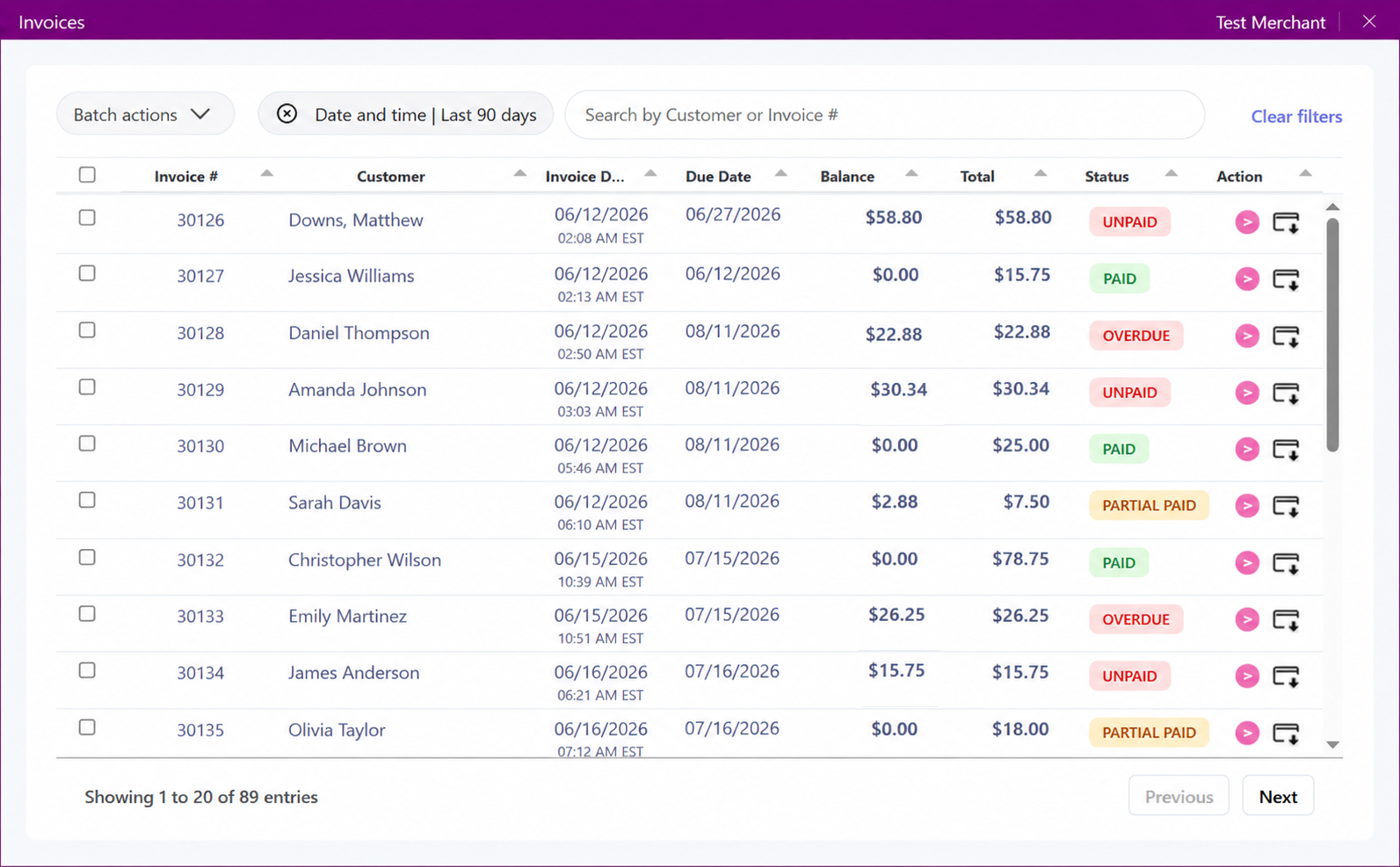


PayLync can use supported Kickserv job, project, customer, or invoice details to prepare a payment request without starting from a blank record.
That gives office and field teams a shared payment reference while the core work continues in Kickserv. Deposits, progress payments, and closeout behavior depend on the connection.
Before launch, the PayLync team confirms which Kickserv records and fields are available, who can create requests, and how payment status returns to your staff. That keeps the workflow aligned with connector permissions and the way your team already works.
A representative test takes the process from selecting a record through customer checkout and reviewing the result. It gives your team a chance to document follow-up, changed amounts, refunds, and exceptions before the connection is used in day-to-day work.
Your PayLync payment setup Kickserv connection review
We review the complete workflow with you instead of publishing a one-size-fits-all rate claim.
Carry supported customer, project, or service references from Kickserv into the payment step.
Request an eligible deposit, progress amount, or final balance based on your configured process.
Review PayLync activity while the team continues managing the job in Kickserv.
Keep a consistent payment reference between the field, office, and customer.
Select the supported Kickserv job or customer record, enter or confirm the amount, and send the PayLync payment request.
After the customer responds, authorized staff can review the outcome and complete the normal project closeout. Automatic updates vary by connector.
Identify the Kickserv jobs, teams, or locations that should use PayLync.
Review permissions and confirm the job and customer fields available to the workflow.
Run a sample deposit, progress, or final-payment scenario that matches your business.
Define who creates requests, follows up with customers, and resolves changed amounts or refunds.
It may, when your connection exposes the necessary job and amount context. The supported stages should be tested during onboarding.
PayLync status is available to authorized PayLync users. Visibility inside Kickserv depends on the connector and user permissions.
Customers see only the card, bank-payment, or other choices enabled for your PayLync merchant and gateway configuration.
You will need the appropriate Kickserv access, an active PayLync merchant setup, and permission to authorize the supported connection.
PayLync uses the authorization method supported by the connector and limits the workflow to the approved account context and permissions.